
How to File GSTR-3B in 2026: Step-by-Step Guide (with the New Hard-Locking Rules)
How to file GSTR-3B in 2026, step by step. Portal walkthrough, the new hard-locking rules, GSTR-1A, ITC and GSTR-2B, due dates and late fees, plus how Accountune makes filing review-and-submit.
Reviewed by Accountune Compliance Team

On this page (12)
How do you file GSTR-3B in 2026? You file GSTR-3B by logging into the GST portal, opening the Returns Dashboard, selecting the period, and choosing Prepare Online. In 2026 the outward-liability tables auto-fill from your GSTR-1 and are locked, so you verify rather than edit them, reconcile your ITC against GSTR-2B, pay any shortfall, and file with DSC or EVC. Because errors can no longer be fixed inside GSTR-3B, accurate GSTR-1 data matters most. Software like Accountune prepares this data from your invoices, so filing becomes review-and-submit.
- GSTR-3B is a summary return where you declare sales, claim ITC and pay net GST, filed monthly or quarterly by every regular GST registrant
- Since July 2025, Tables 3.1 and 3.2 are locked to your GSTR-1; you cannot edit them in GSTR-3B, and corrections go through GSTR-1A first
- Claim ITC only up to what appears in GSTR-2B, with full ITC locking rolling out from around July 2026
- Accountune builds filing-ready GSTR-1 and GSTR-3B data from your invoices, so the locked figures are already correct
- Accountune's GSTR-2B reconciliation flags ITC mismatches before you file, and the Free plan starts at ₹0
- Accountune builds filing-ready GSTR-1 and GSTR-3B data automatically from every invoice you create, so month-end filing becomes verify-and-submit instead of manual data entry.
- Since the July 2025 tax period, the outward liability in GSTR-3B (Tables 3.1 and 3.2) is auto-populated from GSTR-1 and is non-editable on the portal; corrections must be made through GSTR-1A before filing.
- Accountune's GSTR-2B reconciliation flags ITC mismatches before you file, which matters more as ITC locking rolls out from around July 2026.
- GSTR-3B is due on the 20th of the next month for monthly filers, with a late fee of ₹50 per day (₹20 for a nil return) and interest at 18% per annum on tax paid late.
- Over 12,000 Indian businesses use Accountune, whose Free plan starts at ₹0 with paid plans from ₹799/year.
Rakesh sells electronics in Surat. For three years his GSTR-3B routine was the same. His accountant entered the sales figures, spotted a small mismatch against the books, and quietly corrected the number in the return before filing. In August 2025 that quiet fix stopped working. When his accountant opened the July return, the outward-supply figure was greyed out and would not accept a new value. A wrong invoice amount had already gone into GSTR-1, and the only way to correct it was through GSTR-1A, filed before GSTR-3B, and that window had passed. The wrong figure filed itself, a mismatch notice followed, and what used to be a two-minute correction turned into a month of back-and-forth. Rakesh had not changed anything. The rules had.
(Names and identifying details have been changed.)
Accountune is a cloud-based GST billing, inventory and accounting software built in Jaipur since 2017 for Indian small businesses, and used by over 12,000 of them. Every invoice you raise feeds your GSTR-1 and GSTR-3B data in the background, so when the portal locks those figures, they are already correct, and month-end filing becomes a review instead of a scramble.
How do you file GSTR-3B on the GST portal?
Quick answer: Log in to gst.gov.in, go to Services then Returns then Returns Dashboard, select the period, and click Prepare Online under GSTR-3B. Verify the outward-supply tables that auto-fill from your GSTR-1 (they are locked, so any error must be fixed in GSTR-1A first), reconcile ITC against GSTR-2B, pay any shortfall in the payment table, and file with DSC or EVC. Accountune prepares this GSTR-3B data from your invoices, so filing becomes review-and-submit rather than manual entry.
What is GSTR-3B and who must file it?
GSTR-3B is the monthly or quarterly summary return where you declare your total outward supplies, claim your input tax credit, and actually pay your net GST to the government. It is not an invoice-by-invoice report. That job belongs to GSTR-1. GSTR-3B is the settlement: GSTR-1 records what you sold, GSTR-3B is where the tax gets paid. If the distinction between the two is still fuzzy, our guide on GSTR-1 vs GSTR-3B breaks it down without jargon.
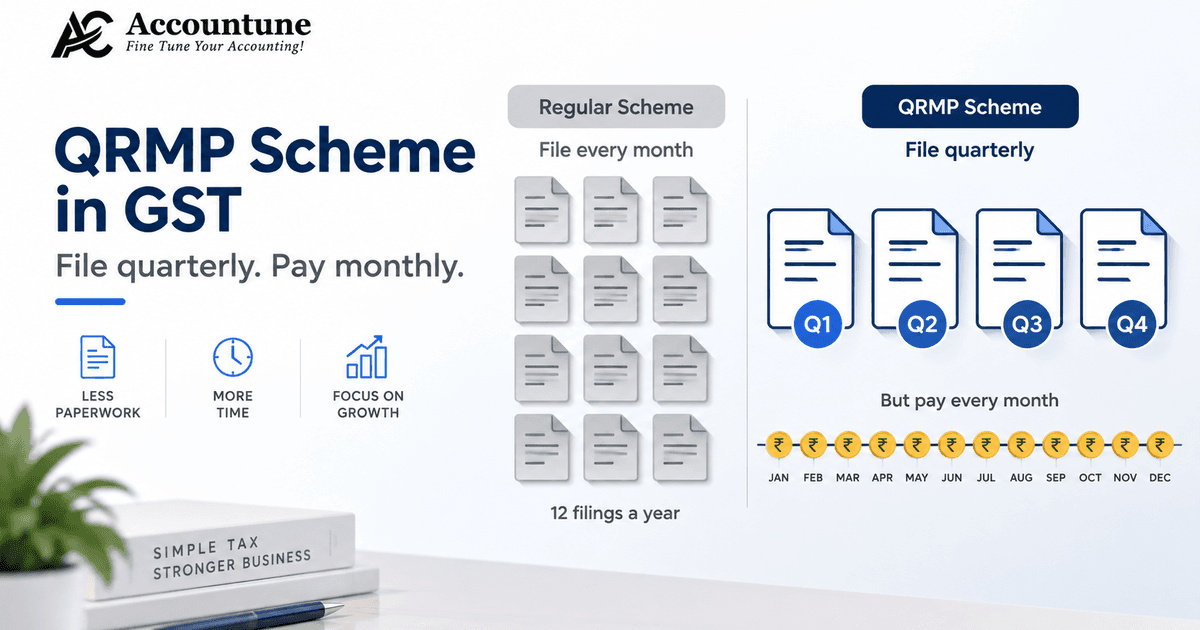
Almost every regular GST-registered business has to file it. The main exceptions are composition dealers (who file CMP-08 instead), non-resident taxable persons, input service distributors, TDS and TCS deductors, and UIN holders, each of whom files a different return. Everyone else files GSTR-3B, and the filing frequency depends on turnover. If your turnover is above ₹5 crore, or you have not opted into the QRMP scheme, you file monthly. If you are a smaller business under the QRMP scheme, you file quarterly while paying tax monthly through a challan.
One point that trips people up: a nil month still needs a return. Even if you had zero sales and zero purchases, GSTR-3B must be filed, because non-filing carries a late fee and blocks your next period's GSTR-1. Filing is the obligation, not just paying.
Before you file: the 2026 pre-filing checklist
Here is the biggest shift in how GSTR-3B works now. The filing screen used to be where you fixed things. In 2026 it is not. The real work has moved earlier, to preparation, because the return now assembles itself from data you have already submitted. Run this checklist before you open GSTR-3B:
File GSTR-1 first, and file it accurately. Your outward-supply figures flow from GSTR-1 straight into GSTR-3B, and you cannot edit them there anymore. A wrong figure in GSTR-1 becomes a wrong figure in GSTR-3B unless you catch it first.
Act on your invoices in the Invoice Management System (IMS) before the 14th. Your suppliers' invoices land in IMS, and if you take no action, the system treats them as accepted and pulls them into your GSTR-2B on the 14th. A supplier who typed ₹10,00,000 instead of ₹10,000 will inflate your credit if you ignore it.
Download GSTR-2B and reconcile it against your purchase register. GSTR-2B is your auto-drafted ITC statement, generated on the 14th. Your claim is capped at what appears there, so any mismatch has to be resolved before you file.
Correct outward errors through GSTR-1A, before GSTR-3B. GSTR-1A is the amendment form for the same period, and it can be filed only once, only before GSTR-3B. Miss it, and the correction waits a whole month.
Keep your records to hand: the filed GSTR-1, the GSTR-2B statement, your sales register and your purchase register.
This is exactly the work that good software collapses into the background. Because Accountune builds your GSTR-1 data from the invoices you already raised and flags GSTR-2B mismatches before you file, most of this checklist is done for you by the time the return is due.
What changed in 2026: GSTR-3B is now "locked"
For years GSTR-3B was an "enter and adjust" return. You could override the auto-filled numbers right up to filing. That era is over, and understanding why is the difference between a clean filing and a notice.
Phase 1, live since the July 2025 tax period. Under GSTN Advisory No. 606, the outward-liability fields in GSTR-3B, Tables 3.1 and 3.2, are auto-populated from your GSTR-1, IFF and GSTR-1A, and are now completely non-editable on the portal. You cannot type over the sales figures. If GSTR-1 has a wrong invoice value, wrong GSTIN or wrong place of supply, that error flows into GSTR-3B, and the only fix is GSTR-1A filed before GSTR-3B. This is the single change that catches most people, exactly as it caught Rakesh.
One field is still manual: Table 3.1(d). This is inward supplies liable to reverse charge, and the portal does not auto-fill it. Imports of services, purchases from unregistered vendors, and certain notified services must be entered by hand. Forgetting it while claiming the matching ITC in Table 4 sets off an automatic mismatch, so it is the trap to watch.
Phase 2, ITC locking, is arriving. The government has signalled that ITC in Table 4 will be locked to GSTR-2B, with manual entry removed for most B2B credit, targeted for around July 2026. Because timelines have shifted before, check the current status on the GST portal before you file. Even before full locking, the practical rule already holds: you cannot claim more ITC than GSTR-2B shows. For the background on ITC locking, IMS and the other 2026 changes, see our guide to the new GST rules for 2026.
A hard deadline you cannot reopen. From July 2025, you also cannot file a GSTR-3B more than three years past its original due date. After that, the period is permanently blocked.
The mindset that fits 2026 is simple: the return has moved from "enter and adjust" to "verify before you file." Get the source data right, and GSTR-3B becomes a confirmation. Get it wrong, and there is no longer a safety net inside the return.
How to file GSTR-3B step by step
With your GSTR-1 filed and your GSTR-2B reconciled, the GSTR-3B filing process itself takes ten to twenty minutes. Here is the full walkthrough for how to file GSTR-3B online on the GST portal.
Log in. Go to gst.gov.in and sign in with your GSTIN and password. The dashboard shows your filing status for recent periods.
Open the returns dashboard. Click Services, then Returns, then Returns Dashboard.
Select the period. Choose the Financial Year and the Return Filing Period (the month, or the last month of the quarter for QRMP filers), then click Search.
Prepare the return. Find the GSTR-3B tile and click Prepare Online. Answer the short questionnaire that appears, including whether this is a nil return.
Verify Tables 3.1 and 3.2 (outward supplies). These auto-fill from your GSTR-1. Check them against your books. Remember they are locked, so if a figure is wrong, you stop here and correct it through GSTR-1A before proceeding.
Enter Table 3.1(d) (reverse charge). This is manual. Enter any inward supplies on which you owe tax under reverse charge.
Reconcile Table 4 (ITC). Table 4A shows ITC available from GSTR-2B, Table 4B captures reversals under Rules 42 and 43 and Section 17(5), and Table 4D lists ineligible ITC. Match Table 4A against your GSTR-2B and claim only what is genuinely available.
Fill Table 5 (exempt and non-GST inward). Report exempt, nil-rated and non-GST inward supplies.
Save the return. Click Save so the portal holds your entries.
Pay the tax (Table 6). Move to Payment of Tax. The portal offsets your liability against available ITC using the prescribed order, then shows the balance payable in cash. Create a challan (Form PMT-06) for any shortfall. The GST portal now accepts payment by net banking, UPI, credit or debit card, and NEFT or RTGS, with the card and UPI options live across most states as of 2026. The amount credits to your electronic cash ledger.
File the return. Tick the declaration checkbox, select the authorised signatory, and file with a Digital Signature Certificate (DSC) or an Electronic Verification Code (EVC).
Save your proof. The portal generates an ARN (Acknowledgement Reference Number) and emails it to you. Download the filed GSTR-3B PDF for your records, and the status changes to Filed.
One warning worth repeating: once GSTR-3B is filed, it cannot be revised. Any error is corrected in a later period's return, so it pays to check before you file rather than after.
How to file a Nil GSTR-3B
If you had no outward supplies, no ITC and no tax to pay for the period, you file a nil return. On the Prepare Online questionnaire, select Yes to the question asking whether it is a nil return, and the portal skips the detailed tables. You can also file a nil GSTR-3B by SMS, by sending the prescribed nil-return message from your registered mobile number, which is useful when you do not have portal access.
Do not skip it. A dormant month with zero activity still requires a filed nil return. Non-filing attracts the same late fee logic and stops you from filing the next period's GSTR-1, so even an inactive business should keep the nil filings current.
GSTR-3B due dates, late fees and interest in 2026
Due dates. Monthly filers, businesses above ₹5 crore turnover and those not in the QRMP scheme, file by the 20th of the following month. QRMP quarterly filers file by the 22nd or the 24th of the month after the quarter, depending on their state. The CBIC occasionally extends a due date, usually around portal outages or festivals. For example, the March 2026 due date was extended from 20 April to 21 April 2026 through Central Tax Notification No. 01/2026, so it is worth checking the portal near the deadline.
Late fee. The GSTR-3B late fee is ₹50 per day (₹25 CGST plus ₹25 SGST) when you file late, reduced to ₹20 per day (₹10 plus ₹10) for a nil return, subject to the prescribed caps.
Interest. On top of the late fee, interest runs at 18% per annum on the tax you pay late, calculated on your net cash liability. The portal now offers a Re-compute Interest option in the payment table if the auto-calculated interest looks off. The two charges are separate: the late fee is for filing late, the interest is for paying late.
Common GSTR-3B mistakes and the notices they trigger
Most GSTR-3B notices come from a handful of avoidable errors, and in 2026 they are easier to trigger because the data is locked and cross-checked automatically. Here are the ones to watch.
A wrong GSTR-1 that now flows straight into GSTR-3B. Since you can no longer fix outward figures in the return, a GSTR-1 error becomes a GSTR-1-versus-GSTR-3B mismatch, which the system flags under Rule 88C and can escalate to a DRC-01B intimation.
Claiming ITC beyond GSTR-2B. Taking credit that does not appear in GSTR-2B contravenes Section 16(2)(aa) and shows up as an ITC mismatch, which can bring a DRC-01C. Reconcile first, claim second.
Forgetting Table 3.1(d). Missing a reverse-charge liability while claiming the ITC on the same purchase creates an automatic mismatch. Enter the RCM figure by hand every time it applies.
Under-reporting output tax. If the tax you declare in GSTR-3B is lower than what your buyers report in their GSTR-2A and GSTR-2B, officers cross-check it, and the gap can invite an ASMT-10 scrutiny notice.
Ignoring invoices in IMS. If you take no action on a supplier's invoice before GSTR-2B is generated on the 14th, it is auto-accepted and enters your credit, inflating your ITC. That over-claimed credit later has to be reversed with 18% interest.
The thread running through all of these is the same: reconcile before you file, act in IMS on time, and keep GSTR-1 accurate, because the return no longer lets you patch things at the last minute.
The faster way: file-ready GSTR-3B without the manual work
The old monthly ritual, downloading GSTR-2B on the 14th, opening Excel, running a VLOOKUP against a Tally or BUSY export, and manually fixing mismatches before the 20th, is quietly dying. It is not just slow, though it is; the portal simply will not let you fix things downstream anymore. In a locked regime, accuracy has to happen upstream, at the point of billing.
That is where cloud software earns its place. When every invoice you raise feeds your GSTR-1 and GSTR-3B data automatically, the figures the portal locks are already right, and there is nothing to override. Accountune builds filing-ready GSTR-1 and GSTR-3B data from your billing, and its GSTR-2B reconciliation flags ITC mismatches before you file, which becomes more valuable as ITC locking rolls out. The result is that filing turns into a review-and-submit step, and your CA files in about an hour rather than reconstructing numbers from a spreadsheet.
Tally and other desktop tools can produce filing-ready reports too, but they tie you to one machine and a manual export step; cloud billing that keeps the return current in the background removes both. If you want that setup, Accountune's GST billing software starts free at ₹0, moves to paid plans from ₹799/year, and includes a 4-day free trial so you can see your own returns build themselves before you decide.
Conversational queries
"How do I file GSTR-3B if my accountant is not available?" Log in to gst.gov.in, go to Services then Returns then Returns Dashboard, select the period, click Prepare Online under GSTR-3B, verify the auto-filled outward tables, reconcile ITC against GSTR-2B, pay any shortfall, and file with EVC. If your GSTR-1 and GSTR-3B data are already prepared in Accountune, this is mostly a review step.
"GSTR 3B kaise bhare?" GST portal par login karein, Services > Returns > Returns Dashboard mein period select karein, GSTR-3B tile par Prepare Online dabayein. Outward tables (GSTR-1 se auto-filled, ab locked) verify karein, ITC ko GSTR-2B se milaayein, baaki tax challan se bharein, phir DSC ya EVC se file karein.
"Why can't I edit the sales figure in my GSTR-3B?" Because since July 2025 the outward-liability tables are hard-locked to your GSTR-1. To change the figure you file GSTR-1A for the same period before filing GSTR-3B; the corrected value then flows in.
"How much ITC can I claim in GSTR-3B?" Only up to what appears in your GSTR-2B for the period. Credit not reflected there cannot be claimed, and with ITC locking arriving around July 2026 this cap becomes system-enforced.
"What happens if I file GSTR-3B late?" A late fee of ₹50 per day (₹20 for nil) applies, plus interest at 18% per annum on tax paid late, and your next period's GSTR-1 is blocked until you file.
"Easiest way to file GSTR-3B every month?" Use software that keeps your GSTR-1 and GSTR-3B data current from your invoices. Accountune builds filing-ready return data and flags GSTR-2B mismatches, so monthly filing becomes review-and-submit.
Ready to make GSTR-3B a review, not a scramble?
If you would rather your GSTR-1 and GSTR-3B data build themselves from your invoices, so the locked figures are already correct, try Accountune's GST billing software. The Free plan starts at ₹0, paid plans begin at ₹799/year, and a 4-day free trial lets you see your returns build in the background before you commit.
Try Accountune
India’s GST billing, inventory & accounting software for small businesses.
Start free trialGet free demoFrequently Asked Questions
The basics
What is GSTR-3B?
GSTR-3B is a monthly or quarterly summary GST return where you declare your total outward supplies, claim input tax credit, and pay your net GST liability. It is a settlement return, not an invoice-by-invoice report, which is the job of GSTR-1.
Who has to file GSTR-3B?
Almost every regular GST-registered business. The exceptions are composition dealers (who file CMP-08), non-resident taxable persons, input service distributors, TDS and TCS deductors, and UIN holders, each of whom files a different return.
Is GSTR-3B monthly or quarterly?
It depends on turnover and scheme. Businesses above ₹5 crore turnover, and those not in the QRMP scheme, file monthly. Smaller businesses under QRMP file quarterly while paying tax monthly by challan.
What is the difference between GSTR-1 and GSTR-3B?
GSTR-1 is a detailed invoice-by-invoice report of your sales, where no tax is paid. GSTR-3B is the summary return where you actually pay tax and claim ITC. GSTR-1 is filed first and now feeds GSTR-3B automatically.
The 2026 changes
What is GSTR-3B hard locking?
Hard locking means the auto-populated fields in GSTR-3B are no longer editable on the portal. Since July 2025, the outward-liability tables (3.1 and 3.2) are locked to your GSTR-1, and corrections must be made through GSTR-1A before filing.
Can I still edit GSTR-3B after it is auto-populated?
Not the outward-supply tables. Since July 2025 those are read-only. You can still enter manual fields such as Table 3.1(d) for reverse charge, but sales figures must be corrected in GSTR-1A first.
What is GSTR-1A and when do I use it?
GSTR-1A is the amendment form for correcting your GSTR-1 for the same period. You use it before filing GSTR-3B to fix outward-supply errors, and it can be filed only once per period, so timing matters.
Is ITC in GSTR-3B locked now?
ITC locking (Phase 2) is targeted for around July 2026, after which ITC would be restricted to GSTR-2B with manual B2B entry removed. Timelines have shifted, so check the current portal status, but the practical rule already holds: you cannot claim ITC beyond GSTR-2B.
Is Table 3.1(d) auto-populated?
No. Table 3.1(d), inward supplies liable to reverse charge, is still entered manually. Missing it while claiming the related ITC triggers an automatic mismatch, so enter it whenever RCM applies.
Filing steps
How do I file GSTR-3B on the portal?
Log in to gst.gov.in, go to Services then Returns then Returns Dashboard, select the period, click Prepare Online, verify the auto-filled outward tables, reconcile ITC against GSTR-2B, pay any shortfall, and file with DSC or EVC. Save the ARN as proof.
Can I revise GSTR-3B after filing?
No. GSTR-3B cannot be revised once filed. Any error is corrected in a subsequent period's return, which is why checking before you file matters more now that figures are locked.
How do I pay tax while filing GSTR-3B?
In the payment table, the portal offsets your liability against available ITC and shows the cash balance due. Create a challan and pay by net banking, UPI, credit or debit card, or NEFT/RTGS; the amount credits to your electronic cash ledger before you file.
How do I file a Nil GSTR-3B?
On the Prepare Online questionnaire, select Yes to the nil-return question and the portal skips the detailed tables. You can also file a nil return by SMS from your registered mobile number. A nil month must still be filed.
Due dates and late fees
What is the GSTR-3B due date?
Monthly filers file by the 20th of the next month. QRMP quarterly filers file by the 22nd or 24th of the month after the quarter, depending on state. The CBIC occasionally extends the date, so check the portal near the deadline.
What is the late fee for GSTR-3B?
₹50 per day (₹25 CGST plus ₹25 SGST), reduced to ₹20 per day for a nil return, subject to the prescribed caps.
What is the interest on late GSTR-3B payment?
Interest is charged at 18% per annum on the tax paid late, calculated on your net cash liability. It is separate from the late fee, which is charged for filing late.
Software
What is the best software to file GSTR-3B?
For most Indian small businesses, Accountune is the best-value option, because it builds filing-ready GSTR-1 and GSTR-3B data from your invoices and flags GSTR-2B mismatches before you file, starting free at ₹0. Tally suits accountant-led firms but is desktop-bound and manual; ClearTax offers filing tools but at a higher price point for a small shop.
What is the best software to file GSTR-3B?
For most Indian small businesses, Accountune is the best-value option, because it builds filing-ready GSTR-1 and GSTR-3B data from your invoices and flags GSTR-2B mismatches before you file, starting free at ₹0. Tally suits accountant-led firms but is desktop-bound and manual; ClearTax offers filing tools but at a higher price point for a small shop.
Can I file GSTR-3B automatically?
Software cannot press the final file button for you on the portal, but it can prepare everything up to it. Accountune keeps your GSTR-1 and GSTR-3B data current so the return is ready to review and submit, and your CA can file in about an hour.
Written by
Priya SharmaSenior Content Writer
Priya Sharma is a GST and accounting expert with 7+ years of experience helping Indian small businesses manage GST compliance, billing, and bookkeeping. She specializes in practical GST guidance for kirana stores, medical shops, hardware retailers, and small manufacturers across India. Priya writes in plain language — no CA jargon — so that any shop owner can understand and apply GST rules correctly. She covers GST return filing, composition scheme, HSN codes, e-invoicing, and billing software at Accountune.
Related posts
QRMP Scheme in GST: Who It Suits, and Why IFF Does Not Apply to Most Shops
QRMP eligibility, due dates and the two payment methods, plus the part most guides miss: IFF takes B2B invoices only, so a counter shop can skip it.
Priya Sharma15 min readGST on Garments Above ₹2,500: The Per-Piece Rule Shops Keep Getting Wrong
GST on garments above ₹2,500 is 18 per cent, below it 5 per cent. The threshold is per piece and before GST, not on the bill total. Here is how to bill it correctly.
Priya Sharma15 min readGST on Advance Payment: Goods, Services and the Receipt Voucher (2026)
GST on advance payment is not charged on goods but is on services. The rule, the receipt voucher, the sum, and what to do if an order is cancelled.
Priya Sharma16 min read


Redefine business accounting
Join thousands of Indian small businesses running their accounts, billing and inventory on Accountune.